
Android Apps for Bloom’s Applying Level
By Kathy Schrock // August 19, 2013
Introduction
Bloom's Revised Taxonomy is a pedagogical model we are all familiar with. This is the third in a series of resources outlining apps, Web sites, and ideas for using Bloom's Revised Taxonomy to support teaching and learning. This resource deals with Android apps for the third of Bloom's levels, applying.
The previous posts in the series were:
-
An overview of Bloom's and apps to support the remembering level
-
Apps to support the understanding level
Applying is the cognitive skill set in which students use learned material through products like models, presentation, interviews and simulations, to execute or implement a procedure.
Some activities at the applying level include:
Diane Darrow, in her Edutopia series, outlines the questions you should consider when evaluating an app for use at the applying level.
ANDROID APPS AND WEB SITES TO SUPPORT THE APPLYING LEVEL
Sharing: Audioboo 2
https://play.google.com/store/apps/details?id=com.moshen.audioboo2
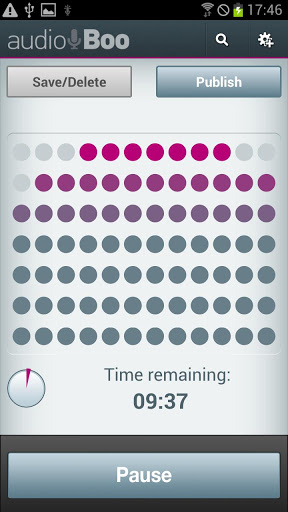
One acitivty at the applying level is sharing. Audioboo is an application for recording and creating a podcast. This free version allows students to create audio up to 3 minutes in length and post that to their own Audioboo page on the web. They can add titles, tags, geolocation info and a photo to the recording before it is uploaded. Here is a great overview of the use of podcasting in the classroom by Tony Vincent.
Teaching: UT Great Whiteboard
https://play.google.com/store/apps/details?id=com.timmii.utgreat
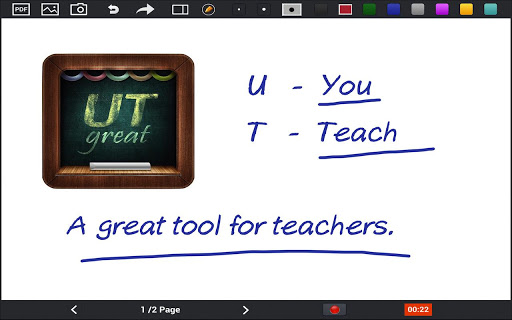
UT Great Whiteboard allows students to share a great idea or explain a tricky concept. They can bring in images and PDF documents and mark them up, take a photo directly, or simply draw out the concept while recording voice audio at the same time. Students can demonstrate their learning by creating a tutorial or teaching unit for others.
Publishing: Tumblr
https://play.google.com/store/apps/details?id=com.tumblr
Activities that involve publishing learned material in the form of a newspaper, article, or story can easily be done with the Tumblr app. With the app, students can post text, images, videos, and much more to showcase the application of their content knowledge.
Demonstrating: Animation Desk
https://play.google.com/store/apps/details?id=com.kdanmobile.android.animationdesk
Demonstrating applied knowledge can be done with a drawing animation program. There are many of these, but I like Animation Desk Lite for hand-drawn animations. It includes all the best features of an animation program-- layers, onion skinning, duplication of previous pages, easy frame management, and the completed animations can be sent out to FB, YouTube, the photo library, emailed, or saved as PDFs. Users can even record their voice as part of the demonstration. KQED offers this article about use of stop-motion animation ideas for the elementary classroom.
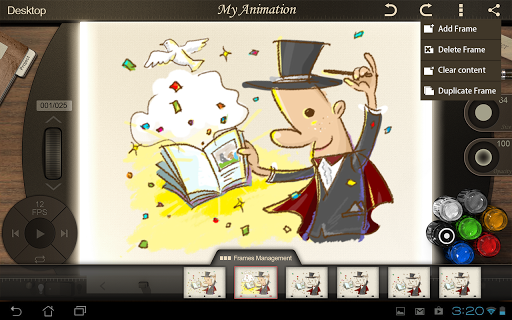
Another stop-motion animation program, Animating Touch, might be easier for younger students. Students manipulate objects on the screen, "snapping" an image of each movement, and the final movie is created.
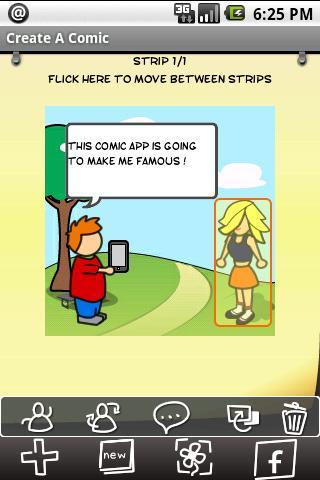
Performing a skit: Create a Comic
https://play.google.com/store/apps/details?id=com.tiltedchair.cacomic
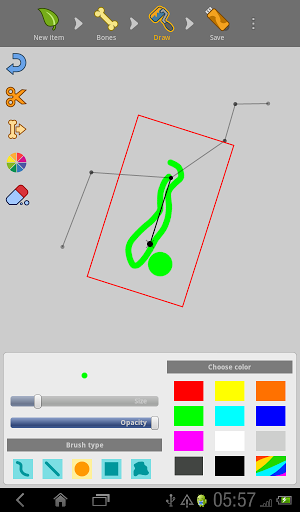
Students can showcase the application of their acquired knowledge by performing a skit. Create A Comic allows students to add various characters and speech bubbles to impart the information in their comic.
FOLLOW-UP
Do you have suggestions for Android apps or Web 2.0 tools to use at this level of Bloom's? Please add them in the comment area!
And watch for part four of this series, Android Apps and Ideas for Assessing at Bloom's Analyzing Level, next month!
Sony's Education Ambassadors volunteer their time and knowledge to Sony in the pursuit of helping educators adapt to new technology in the classroom. Each SEA member was provided a Sony Xperia™ Tablet to evaluate, to help them better understand the device’s features.
comments powered by Disqus


