
Android Apps for Bloom’s Analyzing Level
By Kathy Schrock // September 21, 2013
INTRODUCTION
This is the fourth in a series of resources outlining apps, Web sites, and ideas for using Bloom's Revised Taxonomy to support teaching and learning. This resource deals with Android apps for the fourth of Bloom's levels, analyzing.
The previous posts in the series were:
-
An overview of Bloom's and apps to support the remembering level
-
Apps to support the understanding level
-
Apps to support the applying level
ANALYZING LEVEL
The analyzing level has students breaking information into parts to explore understandings and relationships. In order to break down information, it first has to be gathered, stored, and organized.
Activities at the analyzing level include...
Diane Darrow, in her Etutopia series, provides some quesitons that you should ask youself when picking apps to support the analyzing level.
ANDROID APPS AND WEB SITES TO SUPPORT THE ANALYZING LEVEL
Polling: Wufoo
http://wufoo.com
Polling others allows students to collect data to analyze. Wufoo allows student to use the browser on the Android tablet to create a poll. The reporting features are robust and they can download the raw data to manipulate it somewhere else. For free, you can make three surveys and get 100 responses per month.
Organizing: Outliner
https://play.google.com/store/apps/details?id=at.ff.outliner
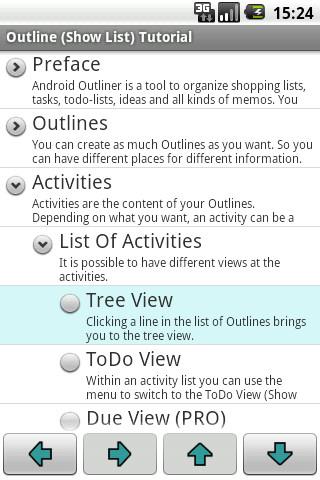
Outliner can help students plan and organize a project. It includes the ability to create an unlimited number of outlines. They are set-up in a tree structure with collapsible nodes. Students can set date-dues and mark items completed. The outlines can be exported any number of ways including csv and text.
Comparing: Word It Out
http://worditout.com
Creating word clouds is one way for students to analyze what is important in a text document or Web page. WordItOut allow a student to create a word cloud from documents, the URL of a site with an RSS feed, or a table, and then download the image or take a screenshot to save it to their gallery on the tablet. They can then email the cloud or share it via Twitter.

Concept Mapping: Mindjet Maps
https://play.google.com/store/apps/details?id=net.thinkingspace
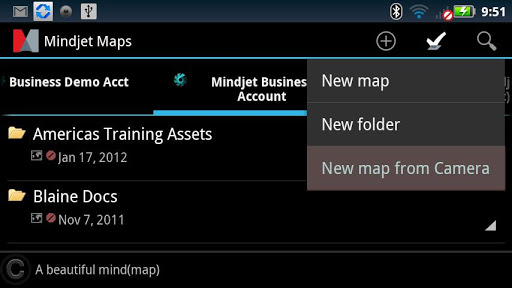
Mindjet Maps is an easy-to-use concept and mind-mapper. Students can use this to outline a process at the analyzing level. Items in the map can be flagged, other files on the tablet can be linked to including the photos in the Gallery, and the maps can be tagged to be searched at a later date. Another Android app that includes the ability to create a mind/concept map but also allows it to be turned into an outline is Mindmeister.
Structuring: Momento Database
https://play.google.com/store/apps/details?id=com.luckydroid.droidbase&hl=en
One way students can easily structure and query collected data is through a database. Momento Database is an Android app that includes tons of templates to pick from and also the ability to create a custom database. Simple functions (SUM, MIN, MAX, AVG) are included, there are thirteen different field types (including images, audio, and Google Maps coordinates) and the importing of CSV files are included. Of course, since it is a database, there is an easy-to-use filtering and sorting ability.
Graphing: Simple Spreadsheet and 3D Charts Mobile
https://play.google.com/store/apps/details?id=org.thetomahawk.spreadsheet
https://play.google.com/store/apps/details?id=air.A3DChartsMobile
The Simple Spreadsheet program allows students to create their own spreadsheet using the tablet or they can import (and export) a CSV file for use with other spreadsheet programs. Students can build complex formulas, use colors to highlight, and much more.
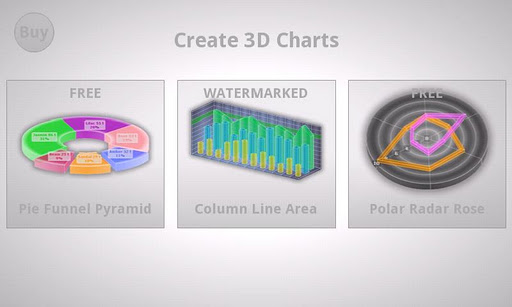
3D Charts Mobile allows students to add data and create beautiful 2D and 3D graphs. For free, they can create pie, doughnut, pyramid, cone, funnel, staggered column, and staggered cylinder charts and graphs, and many others that are watermarked unless the paid version is purchased.
FOLLOW-UP
Do you have suggestions for Android apps or Web 2.0 tools to use at this level of Bloom's? Please add them in the comment area!
And watch for part five of this series, Android Apps and Ideas for Assessing at Bloom's Evaluating Level, next month!
Sony's Education Ambassadors volunteer their time and knowledge to Sony in the pursuit of helping educators adapt to new technology in the classroom. Each SEA member was provided a Sony Xperia™ Tablet to evaluate, to help them better understand the device’s features.
comments powered by Disqus


