

Xperia Tablet S: Android tablet basics out of the box
By Danny Silva // January 24, 2013
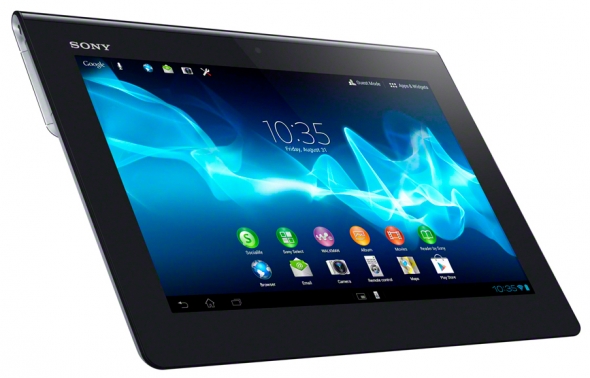
Welcome to your new Android device. When you pull the Sony Xperia Tabletout of the box you will quickly find all hardware buttons you will need. The power/sleep button is located on the upper right hand corner above the volume rocker button.  On the opposite side of the device you will find the headphone jack and a little cover. To access the cover find the little notch at the top of the door and pull it down and out to open. The little retainer is located at the bottom to keep from losing the door.
  Underneath you will find a slot for an SD Card to expand your storage. At the bottom of the device you will find another door. This one just slides out to expose the connection point for your charging/usb cable.
 To turn your device on press and hold the power/sleep button. (tip: press and hold the power/sleep button and the down volume to take a screenshot) While the tablet is on you will be able to use this same button to quickly put your tablet to sleep or to wake it back up. Once the tablet has booted you will navigated through the setup process. If you have a Google Account already and your WiFi password this will be a quick process. Don’t have a Google Account yet? I suggest you go to https://accounts.google.com/SignUp to get one started to make the setup process faster. One other suggestion, be sure to know your WiFi’s SSID or Name and password so you can connect to the internet. Now you should be off and running.
Check out the next post on navigation of your device.
Sony's Education Ambassadors volunteer their time and knowledge to Sony in the pursuit of helping educators adapt to new technology in the classroom. Each SEA member was provided a Sony Xperia™ Tablet to evaluate, to help them better understand the device’s features.
About The Author

Danny Silva
Danny is formally an Agriculture Teacher, Technology Coordinator and Administrator. He is the Professional Development Coordinator for Computer-Using Educators, a Google Certified Teacher, a Google Apps Education Certified Trainer and a Microsoft Innovative Educator. He has led multiple Google Teacher Academies around the world as part of CUE's Lead Learner team and as the Director...
VIEW PROFILE


